Niri: Scrollable Tiling and the Setup Around It
I switched my window manager to Niri this week, and it has already pulled off the rare trick of becoming a tool I do not think about - which is the highest compliment I can pay a piece of software. The idea came from foci’s “How I use Linux as a student/researcher”. He only mentioned it in passing but it was enough to trigger my interest. I’ve never got on with tiling window managers in the past but Niri seemed to have a structure I could understand.
What is Niri?
Niri is a scrollable-tiling Wayland compositor. Most tiling window managers (i3, Sway, Hyprland) work on the same basic model: a workspace is a fixed rectangle, and opening a new window carves up the space that is already there. Open enough windows and everything gets squeezed into slivers.
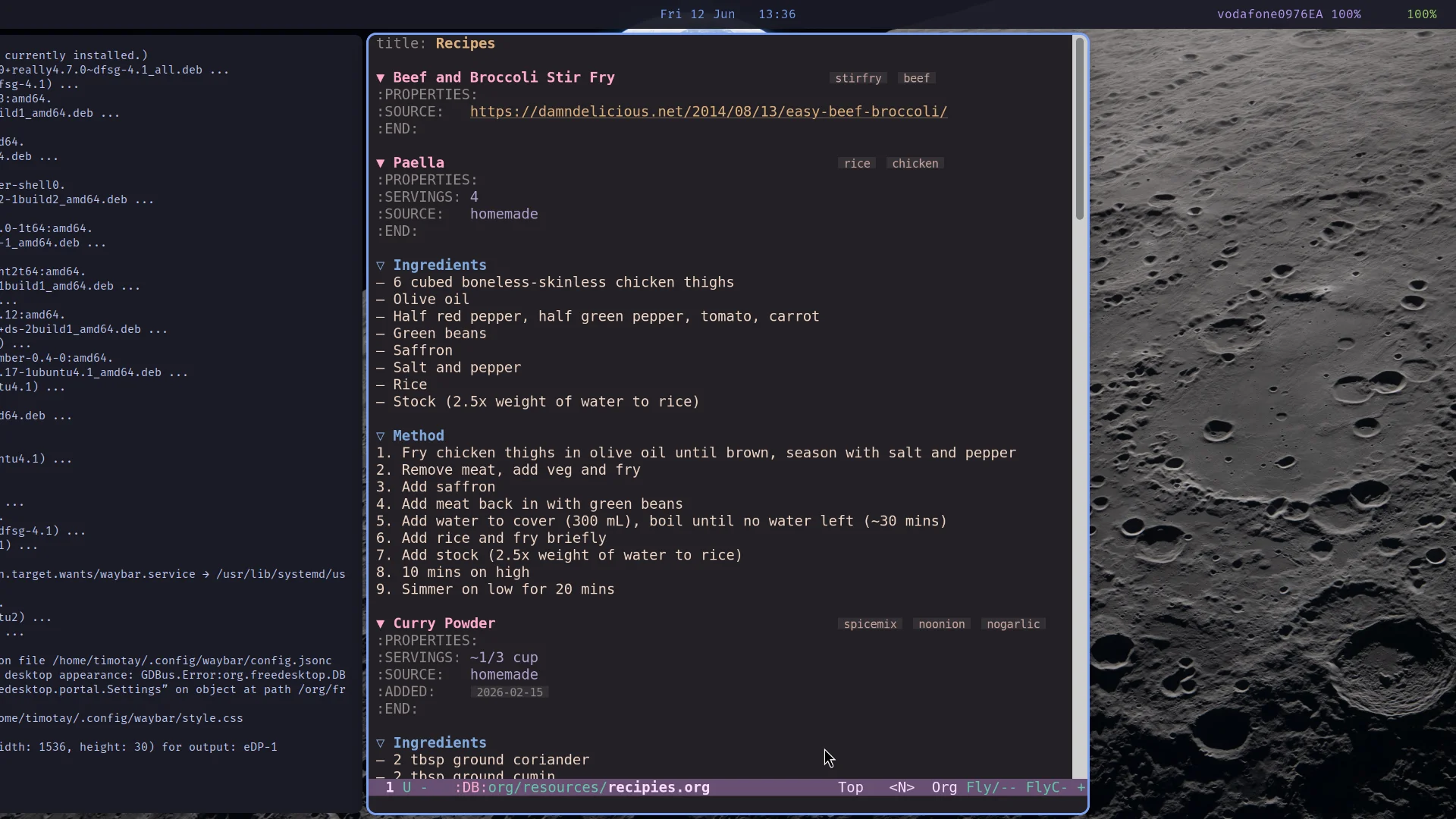
Niri’s model is different. Windows are arranged in columns on a strip that extends infinitely to the right. Opening a new window never resizes the ones you already have - it just appears next to them, and you scroll along the strip to reach it. Think of it as an endless desk rather than a fixed pinboard.
This sounds like a gimmick until you try it. The thing it fixes is the resize-anxiety of traditional tilers: that moment when opening a fourth window makes the other three useless. In Niri, my Emacs frame stays exactly the width I want it, forever, no matter what else I open.
The layout
My config keeps things simple. Three preset column widths - a third, a half, and two thirds of the screen - that I cycle through with Mod+R:
preset-column-widths {
    proportion 0.33333
    proportion 0.5
    proportion 0.66667
}

default-column-width { proportion 0.5; }
Most of the time I have two half-width columns visible: Emacs in one, a browser or terminal in the other. When I want to focus, Mod+F maximises the column. center-focused-column "on-overflow" means that when a column would hang off the edge of the screen, Niri centres it instead - a small thing that keeps the focused window where your eyes are.
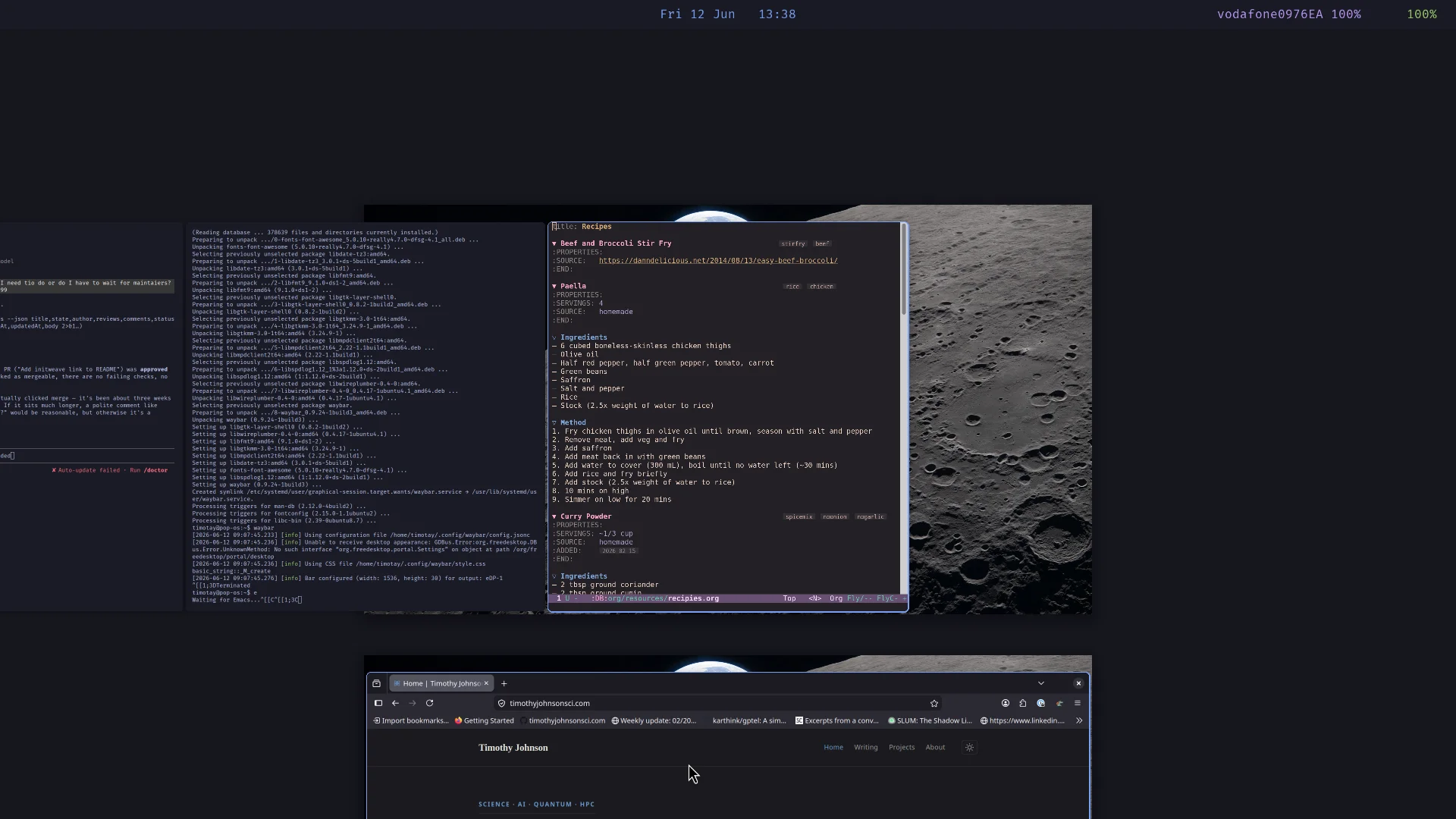
The other binding that earns its keep is Mod+O for the overview - a zoomed-out view of all workspaces and windows, similar to GNOME’s Activities.
The supporting cast
A compositor on its own is not a desktop. The pieces around it:
- foot as the terminal. Wayland-native, fast, and configured in a single ini file.
- fuzzel as the launcher. Same author as foot, same philosophy - it does one thing, starts instantly, and the config is a dozen lines.
- Waybar as the status bar - clock and date in the centre, battery and network on the right, and nothing else. More on this below.
- swaybg for the wallpaper, spawned at startup from the Niri config.
Everything is themed Tokyo Night: foot’s colour palette, fuzzel’s launcher, Waybar, and Niri’s focus ring all share the same palette, so the active window is outlined in the same blue (#7aa2f7) that highlights matches in the launcher. It is a small touch, but the consistency makes the whole thing feel like one environment rather than a pile of parts.
Niri itself draws no window decorations (prefer-no-csd), and a window rule gives everything rounded corners and a soft shadow:
window-rule {
    geometry-corner-radius 8
    clip-to-geometry true
}
The result looks clean without any of the configuration archaeology that something like Hyprland’s animation system invites.
A bar that knows when to leave
Niri ships with no status bar, which I initially counted as a feature. But knowing the time and whether the laptop is about to die is so baked into muscle memory that I needed something, so I included the addition of Waybar. The config is deliberately minimal: a clock with the date in the centre, battery and network on the right, all in the same Tokyo Night palette. Hovering the clock gets you a calendar; hovering the network module gets you live bandwidth. The whole thing is two small text files.
The part I like most is making it disappear. Niri’s maximize-window-to-edges action expands the focused window right to the screen edges, and Waybar toggles its own visibility whenever it receives SIGUSR1. Both behave as toggles, so a single binding keeps them in lockstep:
Mod+M { spawn-sh "niri msg action maximize-window-to-edges && pkill -SIGUSR1 waybar"; }Press Mod+M and the window expands while the bar steps out of the way; press it again and both come back. Neither program needed a “hide on maximise” feature - they are just two toggles glued together with one line of shell, which feels very much in the spirit of the rest of this setup.
Dotfiles as symlinks
All of this lives in a single ~/dotfiles directory - the Niri config, foot, fuzzel, Waybar, and my Emacs init - with symlinks pointing the real config locations at it:
ln -s /home/timotay/dotfiles/niri/config.kdl /home/timotay/.config/niri/config.kdl
ln -s /home/timotay/dotfiles/foot/foot.ini /home/timotay/.config/foot/foot.ini
ln -s /home/timotay/dotfiles/fuzzel/fuzzel.ini /home/timotay/.config/fuzzel/fuzzel.ini
ln -s /home/timotay/dotfiles/waybar/config.jsonc /home/timotay/.config/waybar/config.jsonc
ln -s /home/timotay/dotfiles/waybar/style.css /home/timotay/.config/waybar/style.css
It is the oldest trick in the book and it still works: one directory to version, one directory to back up, one directory to point a new machine at. Notably, the entire desktop environment described in this post is six plain text files. Regular readers will know how I feel about that.
A note on the config format
Niri uses KDL for configuration, which I had not met before. It sits somewhere between JSON and a shell DSL - nested blocks, no quotes needed for most things, comments allowed. The killer feature is that Niri validates the config on save and refuses to apply a broken one, so you cannot lock yourself out of your own window manager with a typo. Sway users will appreciate why this matters.
Keybindings read almost like documentation:
Mod+T { spawn "foot"; }
Mod+D { spawn "fuzzel"; }
Mod+Q repeat=false { close-window; }
Mod+O repeat=false { toggle-overview; }
Should you switch?
If you are happy with a traditional tiler, the honest answer is: probably not urgently. The scrollable model is better for my way of working - a few wide windows I move between, rather than many small ones I see at once - but that is a workflow preference, not an objective ranking.
But if you have ever felt that flicker of annoyance when opening one more window destroyed a layout you were happy with, Niri is solving exactly your problem. The config is one readable file, the defaults are sane, and the scrolling model took me about an afternoon to rewire my habits around.
Comments
Loading comments…