Building a Private Family Planner
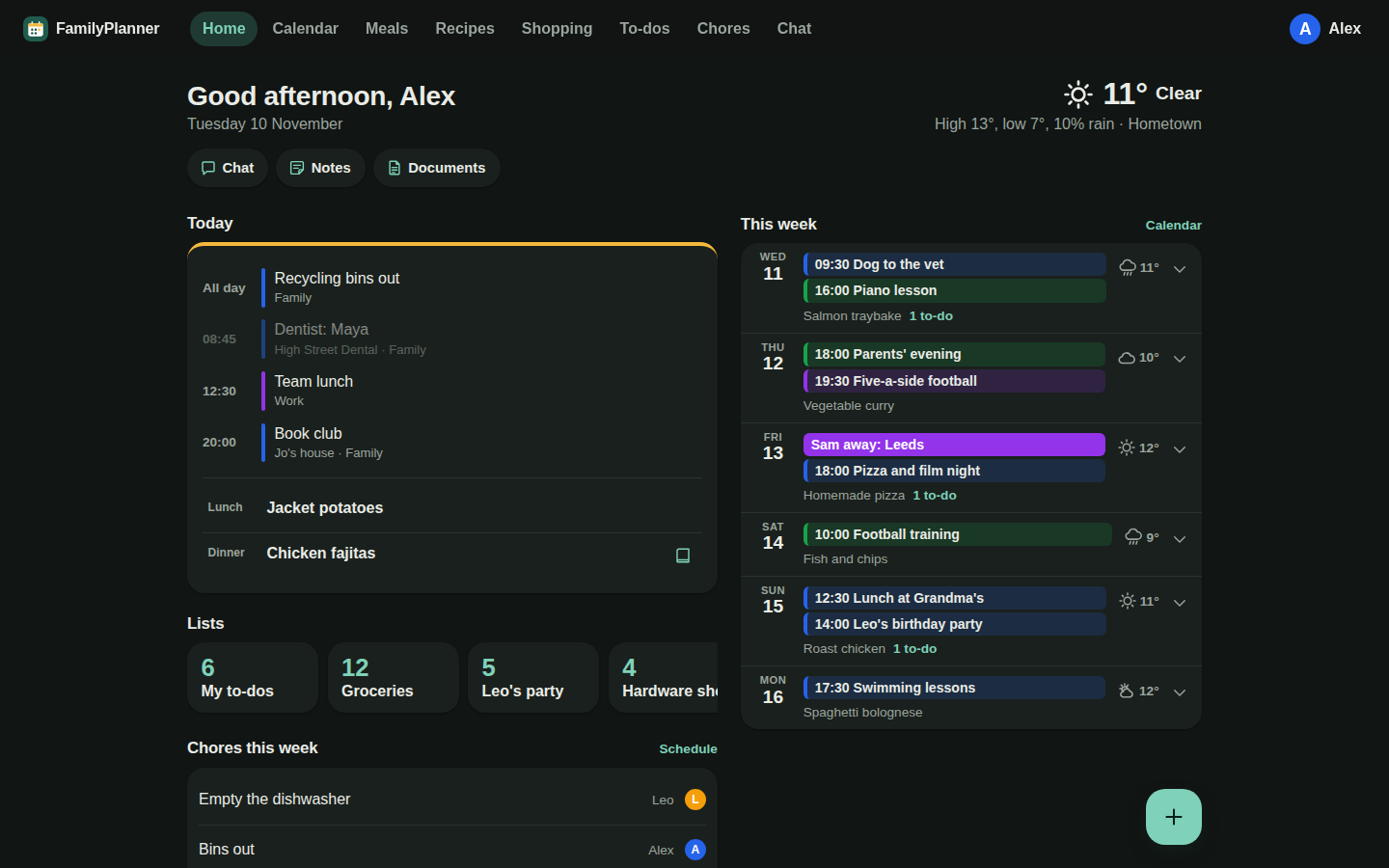
The family in the screenshots here is made up, so our week stays off the internet.
Our family’s week lived in too many places: events in Google Calendar, recipes in an org file, shopping in a WhatsApp chat. The family apps I looked at wanted a subscription, showed adverts, or wanted our data - and they all decided how a family should work, so we’d have had to change to fit them.
So I built a small private website for our household that works the other way round: it fits how we already run the house. Events stay in Google Calendar, where they already were. Recipes and notes stay in my org files. The meal plan is a text box, because that’s how we talk about dinner. The screen sits on the kitchen wall, where we actually look. When something didn’t fit how we live, the app changed, not us.
It took about a week with Claude Code and runs on Azure’s free tiers. The data describes where everyone, including the children, will be and when, so more of the effort went into security than into features.
What it does
A calendar, shopping lists, to-dos, a weekly meal plan, recipes, family notes, a chore schedule, the local weather, and a chat assistant that can read everything but change nothing. The home page shows today first - events, tonight’s dinner, your own to-dos - then the next six days. There’s also a display on the kitchen wall.
The requirements came first
Before any code I wrote a requirements document: goals, non-goals, numbered security requirements and acceptance criteria. The goals are specific - see today within two seconds, add a shopping item in under three taps, spend under £5 a month, and keep the code small enough for one person to read in an afternoon.
The non-goals have been the most useful part. No push notifications, no editing events in the planner, no ingredients as database records, no chore rewards or rotation. Each is a reasonable feature, and when one came up during the build the decision was already made. The document still changes when a decision changes, and commits that touch security cite the requirement they meet.
Security
The main choices:
- No passwords in the app. Sign-in is a Microsoft account.
- Invitation only. Signing in isn’t enough - an admin has to have added your email, and that member record decides your role.
- Every API function checks the caller again, through one function, so adding a role is a change in one place.
- Nothing third party in the browser. No analytics, no widgets. Even the weather is fetched by the API, and the content security policy blocks anything else.
- The database is only reachable from Azure, signs in with its own identity rather than a key, and stays in the UK.
- An admin can export or erase everything.
Worth noting: I started with Azure Static Web Apps’ own invitation roles. They were intermittently missing from valid sessions, which sent signed-in family members to the “not a member” page. Keeping roles in our own member records fixed it.
Google Calendar is the only source of events
Early versions could hold their own events. Now the planner only shows Google’s. The API reads each calendar’s secret iCal address on the server, so the browser never sees it, and changes appear within five minutes. Recurring events, moved occurrences and the clock changes all have tests.
Work invites from Outlook can’t go straight onto a shared Google calendar, so a small Apps Script reads them from a Gmail label and adds them, including moves and cancellations. Its manifest limits it to read-only Gmail and calendar events.
Recipes and notes come from org files
The first version had a meal library to pick from. I replaced it with a text box - typing “fish fingers” is quicker than finding it in a list.
Recipes and family notes - the neighbours’ names, appliance model numbers, where the manuals are - already lived in org files in my Dropbox, and I didn’t want to keep two copies by hand. Plain text should be the default, so the org files stay the source and the app takes a copy:
- One recipe or note per top-level heading. A note’s category comes from its tag, and properties such as a model number become lines in the note. Recipes stay plain text in the app too: a line ending in a colon is a subheading, so a cake and its icing stay apart.
- An import in Settings. The browser reads the file and adds what’s new through the API, because the production database can’t be reached from my laptop. Titles the app already has are skipped, so the import can be run again and never overwrites an edit made in the app.
- A daily copy. Once a day my home assistant reads both files and posts any new recipes and notes. Its token can add recipes and notes and nothing else. Recipes I text to the assistant land in the org file first - the same pattern as texting todos into org-mode, with the AI as the interface and the file as the database.
It only goes one way. A change made later in the org file doesn’t reach the app, which keeps the rule simple: the app never loses an edit.
Chat: read-only, for now
Chat is the least finished part of the planner, and the part I’m least sure about.
As it stands, anyone in the family can ask things like “what’s for dinner on Thursday?” or “who’s on bins this week?”. It uses Claude Haiku with read-only tools over the planner’s data. There’s no tool that writes, browses or sends messages, so text in a recipe or invite that tries to instruct the model has nothing to act on. Conversations aren’t stored.
It’s the one place family data leaves Azure and Google - questions, and what the tools read, go to Anthropic’s API.
Answering questions is useful, but it isn’t where the real value is. What I’d actually like is to say “plan next week’s dinners from our recipes, nothing with fish on Wednesday” and get a meal plan, or “make a shopping list for that” and get the list. That means giving chat tools that write, and it means sending more of our week to Anthropic to do it.
That’s a trade-off rather than an obvious next step. Every tool that writes is something a cleverly worded recipe or calendar invite could try to trigger, and more of our plans, lists and routines would leave the planner each time someone asks. Against that is the time saved every week on the most tedious bit of running a household. One middle ground is a chat that only suggests - it drafts the meal plan or the list, and a person taps to add it - so nothing changes without someone seeing it first. I haven’t decided yet, and for now chat stays read-only.
The wall display
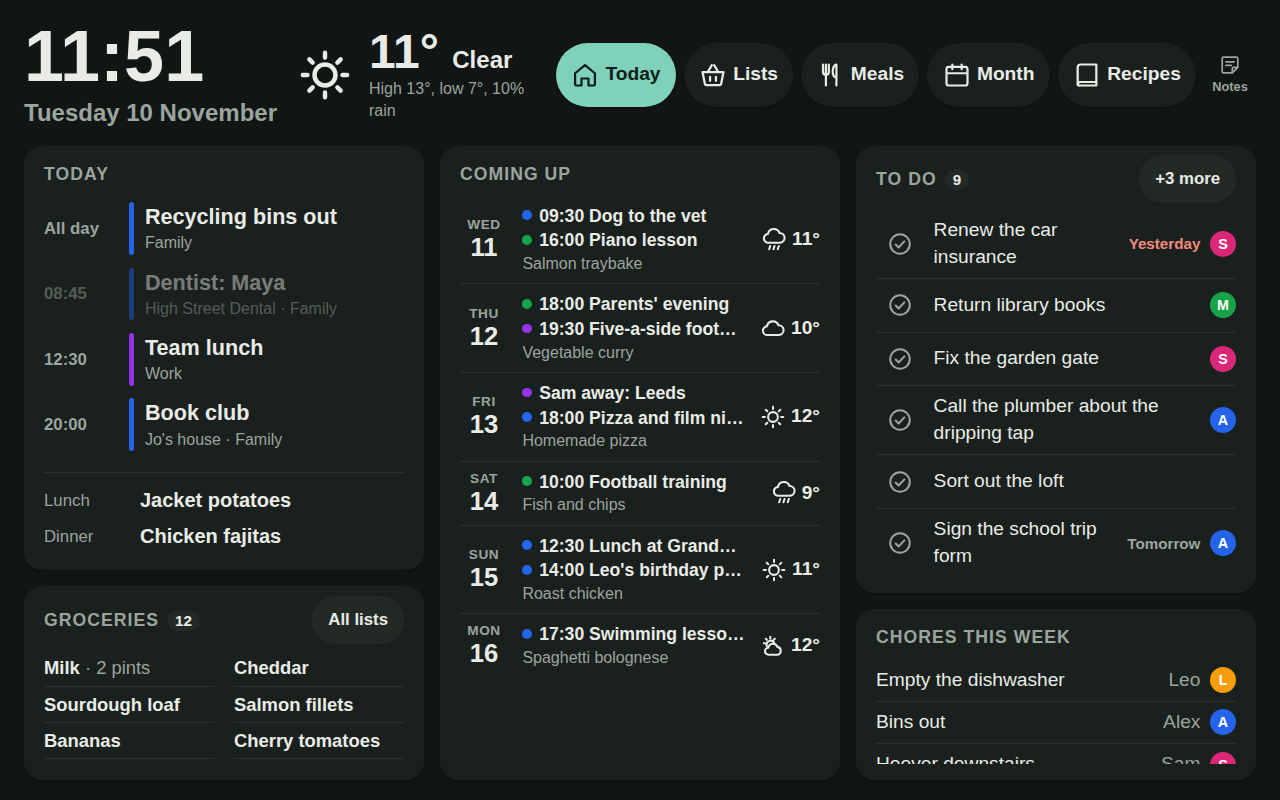
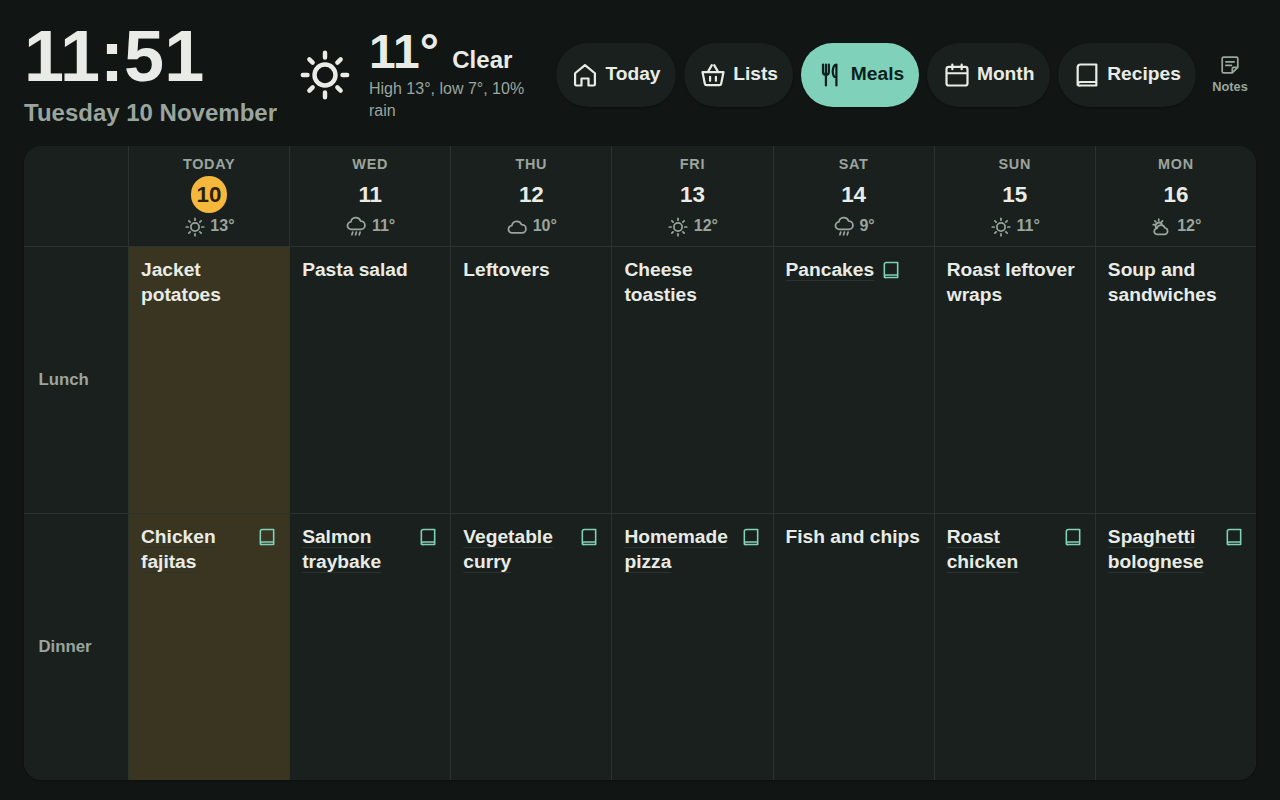
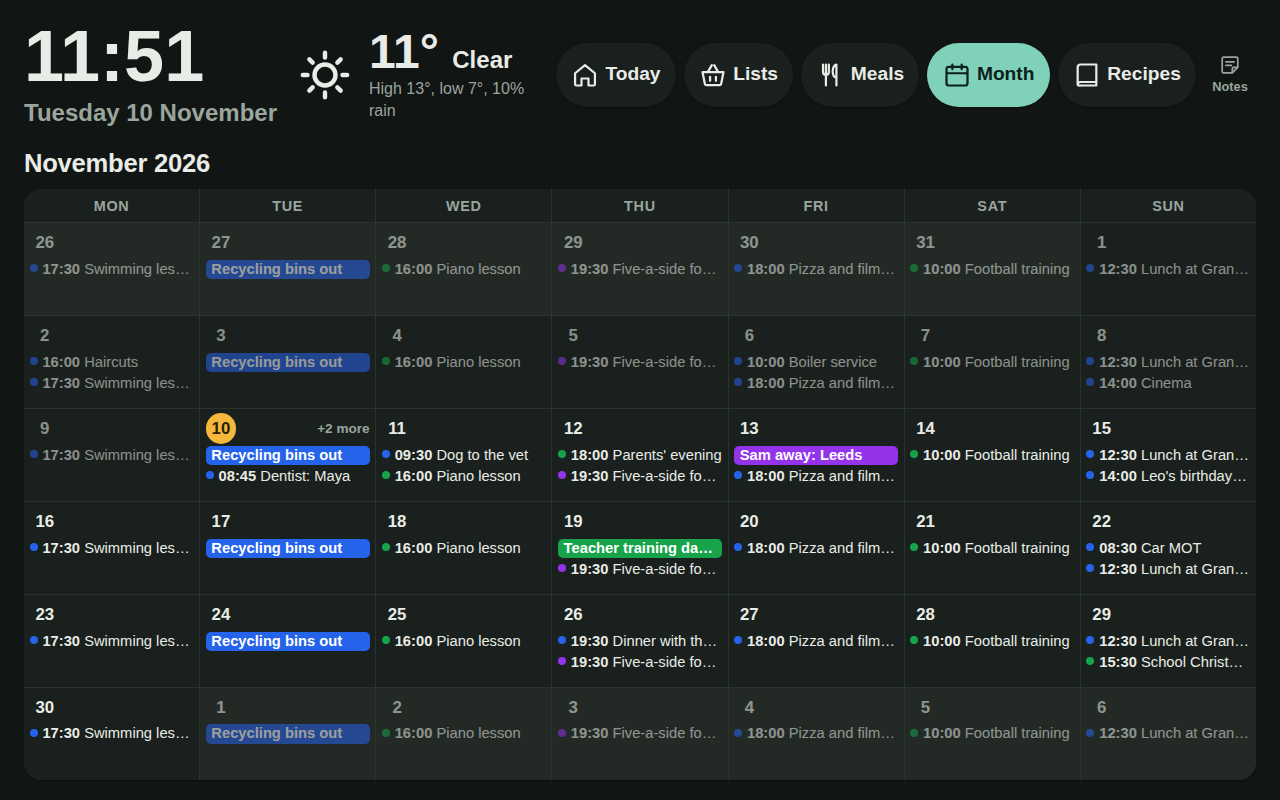
The kitchen wall has a 1280×800 photo frame running the planner full screen. It opens on Today, and buttons along the top switch to the week’s meals, the month, the full lists, recipes and family notes. The wall has a demo mode, behind a few quick taps, that swaps our data for the invented household in these screenshots:
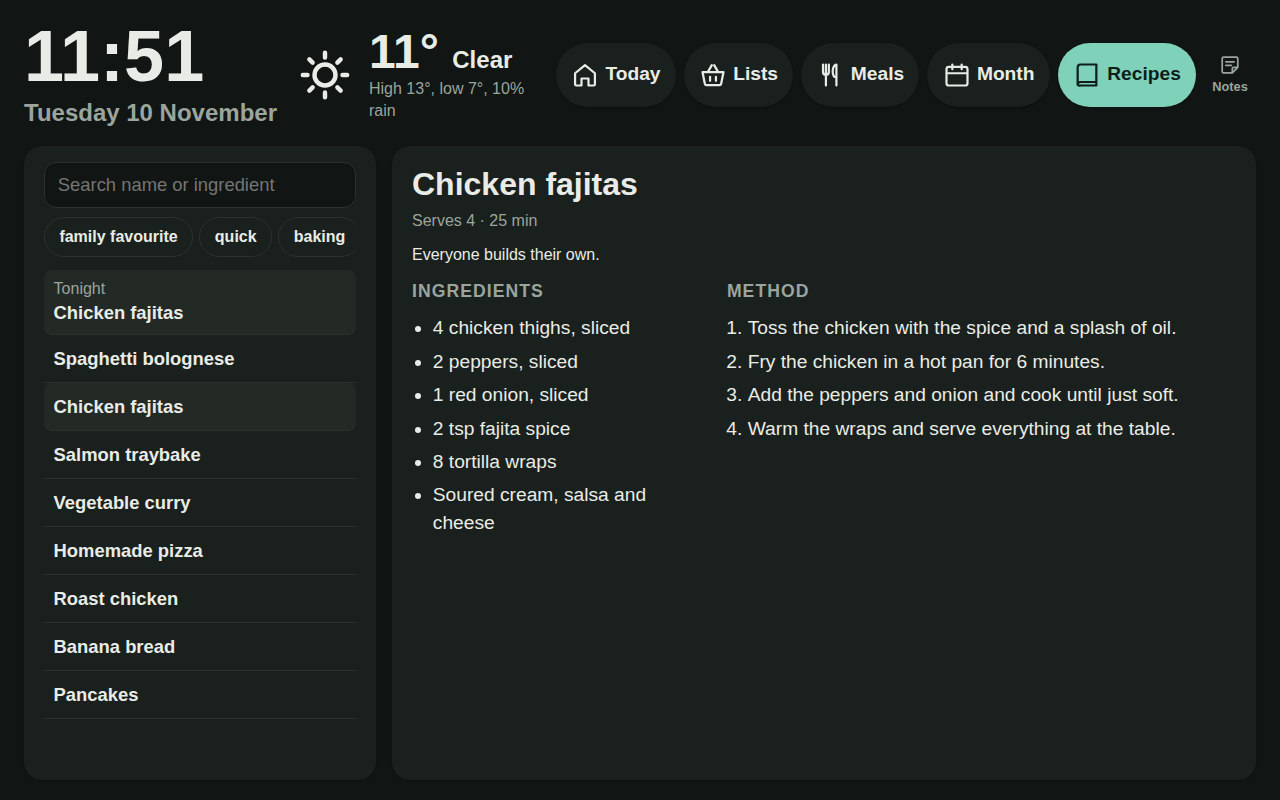
How I made the frame safe is in the photo frame post. On the planner side, the frame doesn’t sign in as a person. It started with its own Microsoft account, but an eight-hour session and repeated sign-ins from the frame ended with Microsoft locking the account.
Now an admin adds a display on the Members page and gets a one-time pairing link. The frame swaps it for a long random key held in a cookie, and the planner stores only its hash. The key reads only what the wall page shows, and Revoke cuts it off on its next request.
Recently the display got its first write: ticking off a to-do. Rather than open up the normal to-do routes, which would let a copied key edit or delete anything, it’s one route that marks a to-do done or not done and ignores the rest of the request. It only accepts JSON, so a form on another site can’t post to it, and a tick is recorded against the display rather than a person. There’s an Undo for a few seconds after each tick.
Cost
Hosting and the database are on Azure free tiers, so £0 a month. Chat is under £1 a month at our usage. The frame was £50. An Azure budget alert fires above £5 a month, and the Anthropic account has its own spend limit.
What I’d do again
- Write the non-goals down.
- Give machines their own credentials. The wall display and the recipe job each have a key that does one thing, and each can be revoked without touching anyone’s account.
- Keep the “who’s calling” decision in one function, and keep every route closed to the display unless it’s marked open.
- Return 403, not 401, to machines. Static Web Apps turns a 401 into a redirect to the sign-in page, which a script or a wall display can’t follow.
What’s next
Recurring to-dos - the bins shouldn’t need adding every week. Possibly a daily summary on WhatsApp from my home assistant, as a cheap form of reminders. And a role for the children, who could tick things off but not delete lists. And deciding whether chat should plan meals and write lists, or stay read-only.
The code is on GitHub. It’s built for one household, ours, so treat it as a worked example rather than something to install.
Comments
Loading comments…